30 Second Timer
30 second timer for a quick answer, an exercise move or a charades turn. A big clock and a ring that empties, ready to start with one press. Free, no sign-up.
00:30
What a 30 Second Timer Is Good For
Exercise move
Do one move until the ring runs out, rest for a moment, then go again with the next one.
Charades turn
One player acts while the others guess, and the turn is over at zero.
Quick answer
Everyone writes one answer on a whiteboard, and all the boards go up together at zero.
How to Use It
- The clock opens at 30 seconds, and nothing runs until you press Start. To change it, press a quick button or type a new time.
- Press Start, or press Space if you’re not typing in a field.
- Press Pause if you need to stop for a moment, then Resume. Need longer? Press +1 minute.
- Press Big screen to show only the clock on a projector.
- Turn Sound on if you want a chime at zero. Either way, the clock says Time’s up!
- Press Reset to go back to the time you set.
Frequently Asked Questions
Is 30 seconds long enough for a game turn?
For a fast game, yes. Thirty seconds is one clue in charades or one category round. For a game that needs thinking time, the 1 minute timer works the same way.
Can I give a little longer than 30 seconds?
Yes. Type a new time in Minutes and Seconds before you start. Once it’s running, +1 minute adds a whole minute and the ring adjusts.
Will it make a sound at zero?
Only if you turn Sound on with the switch by the clock. It’s off until you do, and the same switch works for every wheel on this device. Then a chime plays at zero if your browser allows it. A browser can block sound, so keep the clock in view.
Does it keep time if I switch tabs?
Yes. It works from the time it should end, not by counting ticks, so the clock is right when you come back. The time shows in the tab’s title while it runs.
Can I show it on a projector?
Yes. Press Big screen and only the clock fills the screen, large enough to read from the back of the room. Press Space to pause or start it there, and Escape or Leave big screen to go back.
Is anything saved?
No. The timer runs in your browser and nothing about it is sent to us. Reload the page and it starts fresh. Your Sound choice stays on this device only.
Is it free?
Yes. There’s no sign-up and nothing to install.
Ideas from the Blog
- Charades Ideas: Easy to Hard Words to Act OutCharades ideas for kids, families and parties: animals, jobs, movies and actions, from easy to hard. Pick from the lists, or spin a wheel for the next one.
- Brain Break Ideas: 16 Quick Ones to Spin in ClassBrain break ideas for class: movement, calm and silly breaks that take two minutes and need no kit. Put them on a wheel and let a spin choose the next one.
- Indoor Recess Games: Quick Ideas for Rainy DaysIndoor recess games that need no setup: moving games, quiet games and drawing games for a rainy day. Spin a wheel so the class stops arguing over which one.
More Timers
Classroom Timer · 1 Minute Timer · 2 Minute Timer · Stopwatch
Prefer a Wheel?
Need a move for the 30 seconds? Spin the exercise wheel or one of these.
 Exercise Wheel16 entries
 Charades Wheel16 entries
 Category Wheel16 entries
- Brain Break Wheel16 entries
 Would You Rather Wheel20 entries
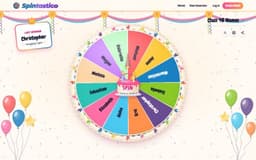 This or That Wheel16 entries
All classroom wheels · Wheel spinner · Random team generator