25 Minute Timer
25 minute timer for a focused work block, project time or a read-aloud. A big clock and a ring that empties, ready to start with one press. Free, no sign-up.
25:00
What a 25 Minute Timer Is Good For
Focused work block
Pick one job and stay on it until zero, then stop for a short break before the next one.
Project time
Groups build, draw or write for one stretch of the lesson, with the time left in plain view.
Read-aloud
Read a chapter or two to the class, and close the book when the ring runs out.
How to Use It
- The clock opens at 25 minutes, and nothing runs until you press Start. To change it, press a quick button or type a new time.
- Press Start, or press Space if you’re not typing in a field.
- Press Pause if you need to stop for a moment, then Resume. Need longer? Press +1 minute.
- Press Big screen to show only the clock on a projector.
- Turn Sound on if you want a chime at zero. Either way, the clock says Time’s up!
- Press Reset to go back to the time you set.
Frequently Asked Questions
Can I use a 25 minute timer for a work block?
Yes. Press Start, work on one thing until Time’s up!, then press the 5 minute button for a break. There’s nothing special about 25, so choose whatever length suits your work.
Is 25 minutes enough for project time?
For one step of a project, it often is. Write that step on the board before you press Start, and leave a few minutes at the end for packing away.
Will it make a sound at zero?
Only if you turn Sound on with the switch by the clock. It’s off until you do, and the same switch works for every wheel on this device. Then a chime plays at zero if your browser allows it. A browser can block sound, so keep the clock in view.
Does it keep time if I switch tabs?
Yes. It works from the time it should end, not by counting ticks, so the clock is right when you come back. The time shows in the tab’s title while it runs.
Can I show it on a projector?
Yes. Press Big screen and only the clock fills the screen, large enough to read from the back of the room. Press Space to pause or start it there, and Escape or Leave big screen to go back.
Is anything saved?
No. The timer runs in your browser and nothing about it is sent to us. Reload the page and it starts fresh. Your Sound choice stays on this device only.
Is it free?
Yes. There’s no sign-up and nothing to install.
Ideas from the Blog
- Writing Prompt Generator: Spin a Story Idea for FreeA free writing prompt generator: spin a wheel for a story idea or a first line, with lists for kids, class and journals, and room to add your own prompts.
- What Should I Do? Spin a Wheel When You Can’t DecideWhat should I do? Write down your options, spin a wheel and notice how you feel about the answer. It’s the quickest way to find out what you really want.
- Things to Do When Bored: Spin for Something NewThings to do when bored at home, with friends or with kids: quick ideas that take no money. Put yours on a wheel and spin, so you don’t have to choose.
More Timers
Classroom Timer · 15 Minute Timer · 20 Minute Timer · 30 Minute Timer · 45 Minute Timer · Stopwatch
Prefer a Wheel?
Not sure which job to do first? Spin the chore wheel or one of these.
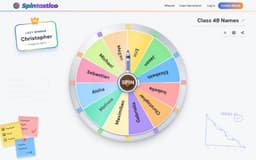 Chore Wheel16 entries
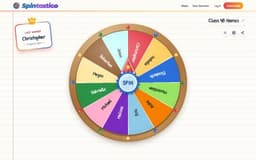 Writing Prompt Wheel16 entries
 Book Genre Wheel12 entries
- Story Starter Wheel12 entries
 Drawing Wheel20 entries
- Math Wheel12 entries
All classroom wheels · Wheel spinner · Random team generator